
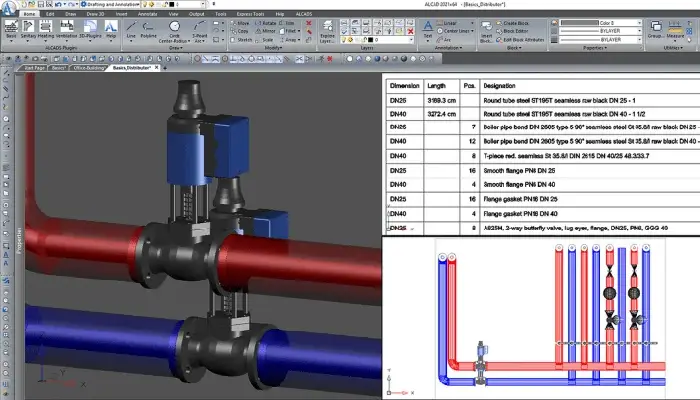
Computer-Aided Design (CAD) software has revolutionized the fields of architecture, engineering, and design. While premium CAD software like AutoCAD and SolidWorks dominate the market, the emergence of free 2D CAD software has provided professionals and hobbyists with cost-effective alternatives. However, the burning question remains: is free 2D CAD software reliable for professional projects? This article explores the capabilities, advantages, limitations, and best practices of free 2D CAD software for professional use.
What Is Free 2D CAD Software?
Free 2D CAD software refers to design tools that allow users to create two-dimensional drawings without incurring any licensing fees. These programs often support drafting, annotating, and editing features tailored for creating blueprints, schematics, and technical drawings. Commonly used free 2D CAD software includes platforms like LibreCAD, nanoCAD Free, and DraftSight Free.
Free 2D CAD software is particularly appealing for:
- Small businesses with limited budgets
- Freelancers and independent contractors
- Students and educators
- DIY enthusiasts and hobbyists
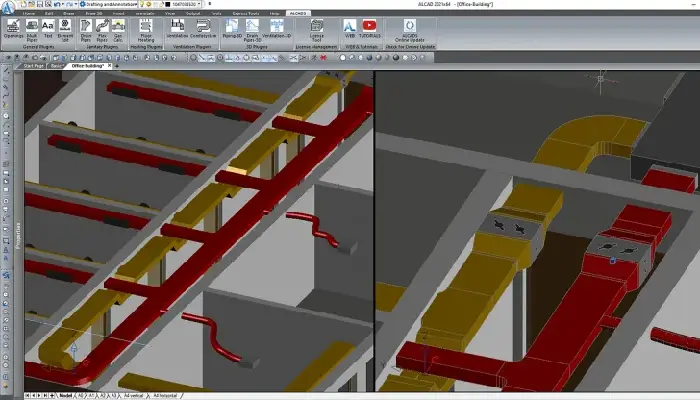
Advantages Of Free 2D CAD Software For Professional Projects
- Cost-Effectiveness For startups or professionals working on tight budgets, free software eliminates the financial barrier associated with premium CAD tools. This enables small firms to compete without compromising on quality.
- Ease of Use Many free 2D CAD tools are designed with user-friendly interfaces, making them accessible even to those new to CAD. Simplified features can help professionals focus on essential functions without getting bogged down by advanced options they may not need.
- Lightweight Software Free 2D CAD programs often have minimal system requirements, making them suitable for use on older hardware. This accessibility is advantageous for professionals operating in resource-constrained environments.
- Open-Source Flexibility Open-source free 2D CAD tools like LibreCAD allow users to modify and customize the software to meet specific needs. This adaptability makes them highly versatile for niche professional applications.
- Collaboration Opportunities Many free CAD tools support standard file formats such as DWG, DXF, and PDF, facilitating easy collaboration with clients, contractors, and other stakeholders using premium software.
Limitations Of Free 2D CAD Software For Professional Use
While free 2D CAD software offers significant benefits, it is essential to understand its limitations to determine its reliability for professional projects.
- Limited Features Free 2D CAD tools may lack advanced features like 3D modeling, parametric design, or integrated simulation tools, which are crucial for complex projects.
- Performance Constraints The performance of free software can sometimes lag when handling large files or high-resolution drawings, leading to slower workflows and reduced efficiency for large-scale projects.
- Lack of Technical Support Unlike paid software, free CAD tools typically rely on community forums for support. This can be a drawback if timely assistance is needed during critical stages of a project.
- Compatibility Issues Free software may not always offer full compatibility with industry-standard formats or newer versions of proprietary file types, potentially causing disruptions in collaborative workflows.
- Licensing Restrictions Some free CAD tools are limited to non-commercial use, which restricts their application for professional, profit-generating projects.
Evaluating Reliability For Professional Projects
The reliability of free 2D CAD software for professional use largely depends on the scope, scale, and complexity of the project. Here are some scenarios where free software can or cannot meet professional demands:
Suitable Scenarios:
- Small-Scale Projects: For straightforward tasks like creating floor plans, electrical schematics, or mechanical diagrams, free software can deliver reliable results.
- Prototyping and Conceptual Design: When creating early drafts or conceptual sketches, free tools provide a cost-effective way to explore design ideas.
- Supplementary Use: Free 2D CAD software can serve as a supplementary tool alongside premium software, offering flexibility for less complex tasks.
Unsuitable Scenarios:
- Complex or Multi-Disciplinary Projects: Large infrastructure or industrial projects requiring advanced features like 3D modeling, simulations, or BIM (Building Information Modeling) are better suited to premium software.
- Collaborations with High-End Tools: Professionals working with teams that rely heavily on proprietary CAD solutions may face compatibility and feature mismatch issues.
Tips For Maximizing The Potential Of Free 2D CAD Software
- Choose the Right Software Evaluate options based on project requirements. Tools like LibreCAD are ideal for open-source flexibility, while nanoCAD Free is a good choice for professionals familiar with AutoCAD-like interfaces.
- Leverage Community Support Engage with user communities and forums to troubleshoot issues, discover tips, and exchange ideas. Active communities often provide valuable resources for mastering the software.
- Use in Conjunction with Other Tools Combine free 2D CAD software with other design tools or visualization software to compensate for feature limitations.
- Stay Updated Regularly update the software to access new features, bug fixes, and compatibility enhancements.
- Test Before Scaling Before committing to large projects, test the software on smaller tasks to ensure it meets your workflow and output standards.
Popular Free 2D CAD Software Options
Several reliable free 2D CAD tools cater to professional needs. Here’s a closer look at some noteworthy options:
- LibreCAD
- Open-source and highly customizable
- Supports DWG and DXF file formats
- Ideal for small to medium-sized projects
- nanoCAD Free
- Offers a user interface similar to AutoCAD
- Limited advanced features but great for basic drafting
- Free for commercial use
- DraftSight Free
- Compatible with DWG files
- Simple interface for 2D drafting
- Offers free and premium versions for scalability
- QCAD
- Focuses on simplicity and ease of use
- Open-source with extensive library support
- Excellent for architectural and mechanical drafting
Conclusion
Free 2D CAD software can be a reliable option for professional projects, depending on the project’s complexity and requirements. While it may not replace premium tools for large-scale, feature-intensive applications, free CAD software offers a robust solution for smaller, straightforward tasks, startups, or professionals seeking cost-effective alternatives.
Ultimately, understanding the strengths and limitations of free 2D CAD software allows professionals to make informed decisions, maximizing its potential while ensuring the quality and efficiency of their work.